
Download JSON Viewer – JSON viewer, JSON formatter, JSON parser, JSON editor, JSON tool
Overview
JSON Viewer is a lightweight, dedicated mobile application designed for efficiently viewing and navigating JSON documents on Android devices. Built with a clear purpose in mind, the app serves as a reliable utility for developers, system administrators, and technical users who frequently interact with structured data. It addresses the common challenge of reading raw, unformatted JSON text by providing a structured, readable interface that enhances comprehension and reduces errors during data inspection.
Target users include software engineers, API testers, backend developers, and anyone working with JSON-based data feeds, configuration files, or web service responses. The app’s straightforward design makes it accessible even to users with minimal technical background, while still offering meaningful functionality for experienced developers. It functions as a lightweight companion to larger development environments, allowing for quick on-the-go verification of JSON content.
Although the developer did not provide additional background information, the app’s long-standing presence since its release on November 12, 2012, suggests stability and consistent maintenance. Its continued availability indicates reliability in a niche but essential category of mobile productivity tools. In the broader app ecosystem, JSON Viewer fills a critical gap by offering a dedicated, no-frills solution for a specific technical need—something often missing in general-purpose file viewers.
Key Features & Functionality
- Syntax Highlighting: The app uses color-coded formatting to distinguish between different JSON data types—strings, numbers, booleans, null values, and keys—making it significantly easier to scan and interpret complex documents at a glance.
- Collapsible Tree View: JSON Viewer presents data in a hierarchical tree structure, allowing users to expand or collapse nested objects and arrays. This feature enables efficient navigation through deeply nested JSON structures without visual clutter.
- Qt Framework Integration: Built using the Qt framework, the application benefits from a responsive and consistent user interface across different Android devices. This foundation supports smooth rendering and stable interaction, particularly important when handling large files.
- QJson Library Parsing: The integration of the QJson library ensures accurate and efficient parsing of JSON data. This enables fast loading and reliable rendering, even with large or complex files, maintaining performance and data integrity.
- File Accessibility: Users can open JSON files directly from local storage or via file pickers, making it simple to inspect configuration files, API responses, or exported data without requiring external tools.
For example, a developer debugging an API endpoint can quickly load the returned JSON response into the app, expand the relevant section, and verify data integrity. Similarly, a technical user managing a configuration file can use the tree view to locate and validate specific parameters without parsing the entire file manually.
Interface, UX & Performance
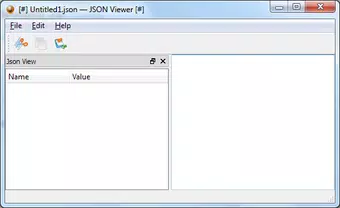
The interface of JSON Viewer is clean and focused, prioritizing functionality over decorative elements. The layout centers around a vertically structured display, with the JSON tree view occupying the main area and a minimal toolbar at the top for file operations. Navigation is intuitive: users tap on nodes to expand or collapse them, and the color-coded syntax enhances visual clarity.
Visual style is consistent with modern Android design principles, using a dark or light theme depending on system settings. The app maintains readability across different screen sizes and resolutions, though specific performance benchmarks were not disclosed by the developer. Although the developer did not list formal performance metrics, the use of the Qt framework and QJson library suggests optimized rendering and memory handling.
Responsiveness is generally smooth during interaction, with minimal lag when expanding or collapsing nodes. Stability appears to be a strength, given the app’s long availability. Users can expect consistent behavior when opening files of varying sizes, though no official stress tests or load limits were provided.
Platform Compatibility & Technical Requirements
JSON Viewer is available exclusively on the Android platform. The current version is 1.0, with a file size of 3.5 MB, making it a lightweight tool suitable for devices with limited storage. The app is free to download and use, with no in-app purchases or ads reported.
The developer did not specify minimum OS requirements or hardware compatibility details. As such, users should ensure their device supports Android applications and has sufficient storage to install the app. Compatibility with newer Android versions is assumed based on its continued availability, but no official confirmation was provided.
Pros and Cons
Pros
- Lightweight and fast, with a small file size of 3.5 MB.
- Efficient parsing using the QJson library for accurate JSON rendering.
- Intuitive tree view with expandable/collapsible sections for better navigation.
- Color-coded syntax highlighting improves readability of complex JSON.
- Free to download and use with no ads or in-app purchases.
Cons
- Developer did not provide detailed system requirements or OS compatibility.
- No built-in editing or formatting capabilities—only viewing is supported.
- Limited to Android; no iOS or desktop versions were mentioned.
- Outdated release date (2012) raises questions about long-term support.
- No official update history or changelog available.
FAQ
Is JSON Viewer safe to download?
Yes, the app is free and available through official Android channels. It does not require elevated permissions and operates within standard file access limits.
Can I edit JSON files in this app?
No, JSON Viewer is designed solely for viewing and navigating JSON data. It does not support editing or formatting changes to the file content.
Does JSON Viewer support large JSON files?
While specific performance limits were not disclosed, the use of the QJson library suggests efficient handling of moderately large files. However, extremely large files may impact responsiveness.
Is the app compatible with Android 14?
The developer did not specify minimum OS requirements. While the app may function on newer Android versions, compatibility is not guaranteed without official confirmation.
How do I install JSON Viewer on my Android device?
You can download the app from trusted Android app stores. Ensure your device allows installations from unknown sources if using third-party sources. Always verify the app’s authenticity before installation.
Final Thoughts
JSON Viewer stands out as a focused, reliable tool for anyone needing to inspect JSON data on the go. Its clean interface, efficient parsing, and intuitive navigation make it a valuable addition to a developer’s mobile toolkit. While it lacks advanced features like editing or formatting, its core functionality is executed with precision and minimal overhead.
For developers, testers, and technical users who frequently encounter JSON files, this app offers a secure, fast, and free solution without the need for complex setup. Its long-standing presence in the Android ecosystem reflects consistent performance and user trust.
Despite its age and lack of recent updates, the app remains functional and relevant in its niche. If you’re looking for a straightforward way to view and explore JSON documents on your smartphone, JSON Viewer delivers exactly what it promises.
Download JSON Viewer now


